



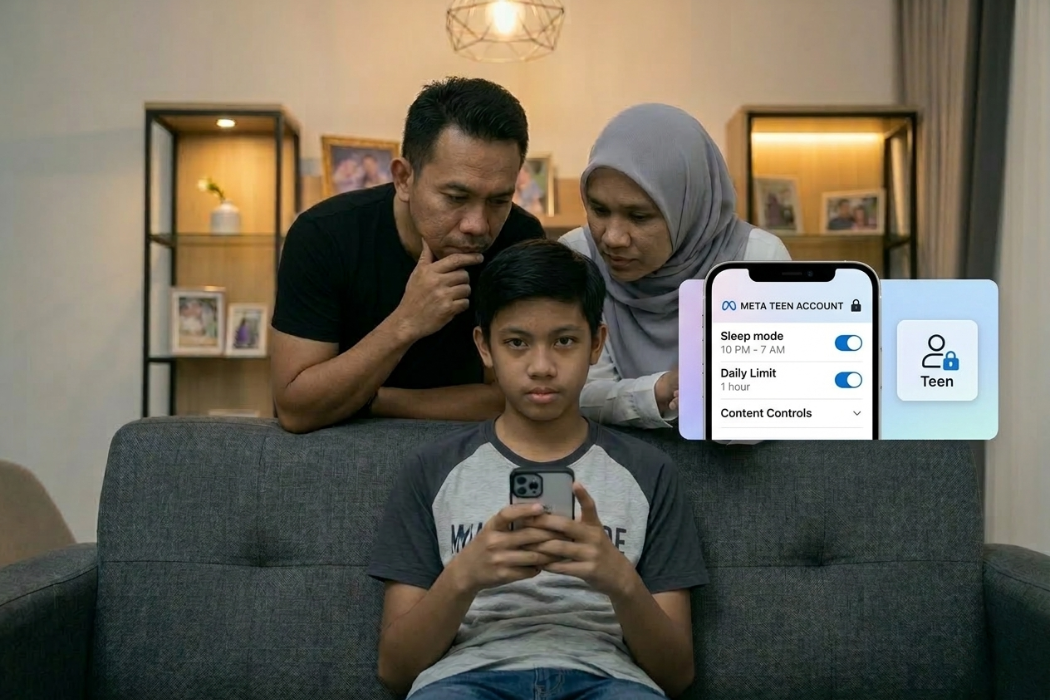


If you have a teenager in the house, you probably know the distinct sound of an infinite scroll at 11 PM. It’s a mix of catchy Reels audio and the faint glow of a screen under a duvet. We’ve all been there, trying to balance giving them independence with the very real urge to just wrap the router in bubble wrap and hide it in the garden.
Meta has finally decided to help us out. Their new Teen Accounts feature officially launched in Malaysia on March 11th at an event in Kuala Lumpur, where Meta experts broke down the system. They’ve rolled out this special feature across Instagram and Facebook in Malaysia, and honestly, it is about time. This isn’t just a new button in the settings menu; it’s a complete overhaul of how minors exist online.
What Exactly is a Teen Account?
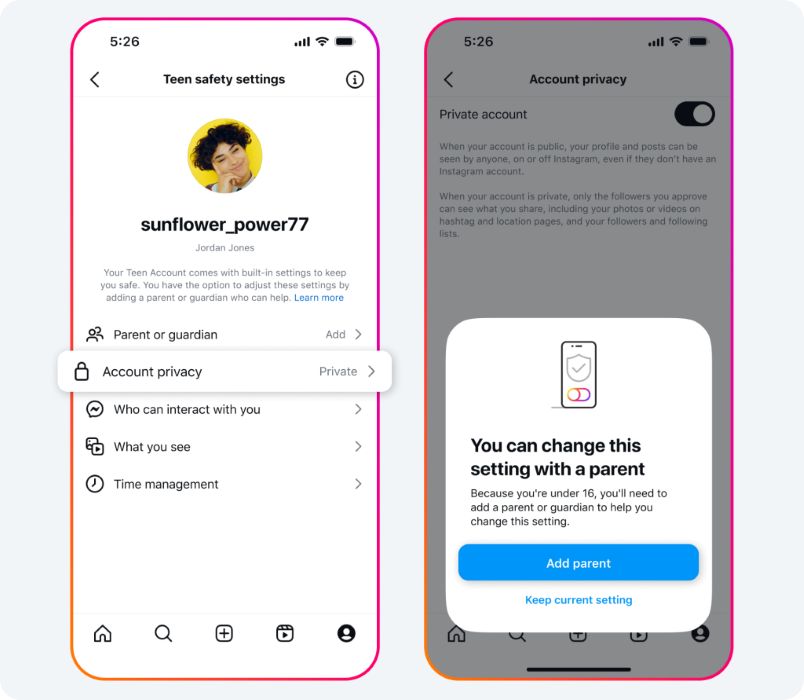
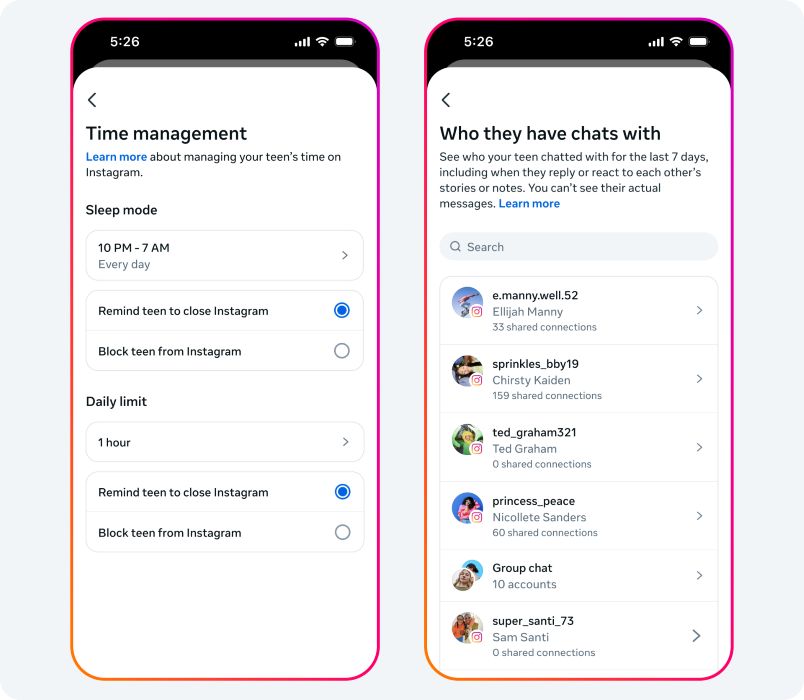
Teenagers aged 13 to 17 who use Instagram, Facebook, or Messenger are now automatically enrolled in Meta’s “Teens Account” system. It turns the strictest privacy settings “ON” by default. The biggest win for us is the Supervision Hub. By linking your account to theirs, you basically become the “Admin” of their digital life. You get to see their daily screen time and a list of who they’ve been chatting with over the last week. Before you worry about being too nosy, relax. You can’t actually read their private messages. It’s about knowing who is at the door, not listening through the keyhole. It keeps the safety high but the trust intact.
The system works like this:
- Follower Control: They must manually approve every person who wants to follow them.
- Anti-Lurking: If someone doesn’t follow them, they can’t see their content, they can’t see their Reels, and they certainly can’t interact with them.
No more hoping your teen remembers to switch their account to private. No more discovering three months later that their Reels are being watched by half the internet.
Curating a Cleaner Feed
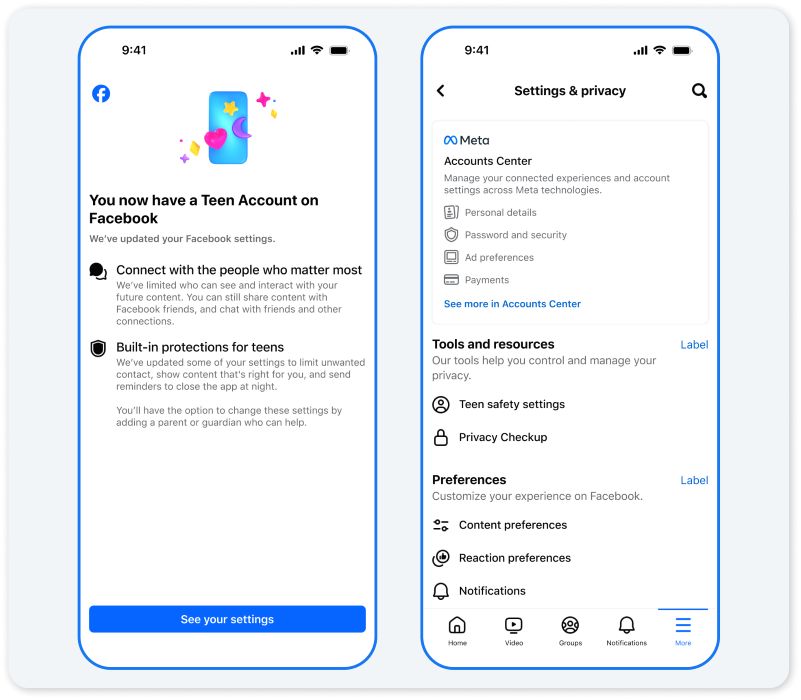
We all know the algorithm can sometimes go down a dark rabbit hole. Meta is now applying a “13+ Movie Rating” style filter to the Explore and Reels tabs. Yes. just like the movies.
This means “risky” content, like dangerous stunts or even certain cosmetic procedure promotions, is automatically filtered out. They’ve also beefed up the “Hidden Words” feature. Offensive language in comments and DMs is scrubbed away before your teen even has a chance to see it. It’s not about censoring the world, but about making sure the content they consume is age-appropriate.
Messaging Safety by Age
Not all teens are created equal, and Meta knows it. Their messaging restrictions are tiered by age:
- Ages 13–15: Safety settings are locked down tight. They can only be messaged by people they follow or are already connected to. Stranger requests are blocked entirely. These settings cannot be changed without parental approval.
- Ages 16–17: They start with the same private defaults but can adjust them manually. However, if you’ve set up Parental Supervision, you can keep those restrictions in place
Sleep Mode and Screen Time Nudges
Perhaps the most parent-friendly feature? Meta’s new “Sleep Mode” and “Nudges” are the digital equivalent of us yelling “Go to bed!” from the hallway.
- Sleep Mode: From 10 PM to 7 AM, notifications are silenced. If a friend DMs them, an auto-reply goes out saying they are resting.
- The 60-Minute Nudge: After an hour of daily use, a reminder pops up telling them to take a break. It’s a small interruption that can break that hypnotic scrolling trance.
Don’t forget WhatsApp
WhatsApp is handled a bit differently but is just as secure. They’ve introduced Parent-Managed Accounts, which require a 6-digit PIN from you for your teen to join new groups or add new contacts. They’ve also disabled features like “View Once” and “Channels” for younger users to prevent hidden interactions. It’s all about supervised connection rather than total restriction.
Your Next Steps
We are moving into a much more forward-thinking era of digital parenting. The KL launch event made it clear: the tools are finally catching up to the reality of our lives. To get started:
- Make sure all family apps are updated to the latest 2026 versions.
- Link your accounts via the Meta Family Centre.
- Set up that Parent PIN for WhatsApp.
- Most importantly, talk to your teen. Explain that these aren’t “rules” meant to ruin their fun, but safety gear designed to let them enjoy the internet without the unnecessary risks.
Being a parent in the digital age is a marathon, not a sprint. These updates just gave us a much-needed pair of better running shoes.